
This LTX 2.3 Workflow 2 in 1 Allows you to generate high quality videos with accurate audio in one single minute (720x1280 5 seconds), allows you to use both image to video and text to video one switch away, use Loras to guide your videos, and with the use of Normalized Attention Guidance allows the use of negative prompt for distilled LTX. Works on Large, Large Pro and Large pro +, but bot max speed and high dimensions chose Ultra or Ultra-Pro.
Broad lines :
- Fast generation in very few steps : Full warmup generation takes under 5 minutes to load models until finished generation (You can just cancel once it reaches the sampling phase), once warmed up it takes around one minute to generate 5 seconds of video in 720x1280 dimensions. Longer videos and higher dimensions will slow the gen time but LTX 2.3 has also a good consistency if you're willing to sacrifice gen time (Tested up to 20 seconds with pretty good consistency with a proper prompt).
- T2V and I2V in one workflow : You can easily switch from image to video to text to video and vice versa by switching the text to video node. T2V is the same processus without the image being used.
- Lora loader powered by Rgthree : An easy and more practical way to load Lora into your workflow, the power lora loader allows you to stack loras easily and set their strength.
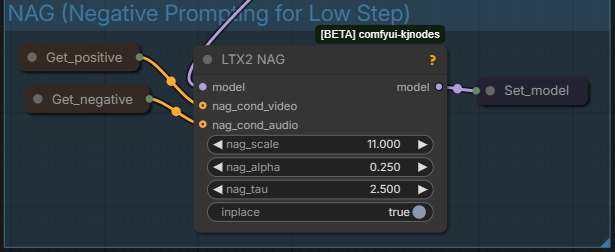
- Allows negative prompting for CFG1 Low Step generations : Usually low steps models skip negative prompting and only use positive prompt. with Normalized Attention Guidance (NAG), you can now add negative keywords to your generations to avoid unwanted Nuisances. Be careful as this can also be a negative additon to your final output, all depends on what you generate.
- Two sampler compression and upscale method : This LTX 2.3 workflow compress the video for the first sampler and then upscale through the second one.
- The first Video generation model with high quality original audio : LTX 2.3 is a revolution in local video generation as it generates audio along the video, with a quality worthy of closed source models. It can generates speech in different languages. And you can find models on Civitai that can gives even better speech output in certain cases.
Here's a breakdown on how to use this workflow :
Section 1 : Main workspace :
This section is where you can use the entire workflow without worrying about the details, all you need to do is upload an image, choose the dimensions, the length, write your prompts, select your loras, and click Run. By default the workflow is set to Image to Video. To switch to Text to Video switch on Text to Video node, either upload a random image or set an empty latent image to the ImageResizeKJv2 node. The dimensions can be set by putting width and height, you might have to switch to crop or to resize depending on I2V or T2V (The preview image node will give you the final dimensions anyway, it is automatically resized based on divisible by 32 factor so it might be different regardless). Once the run is done you will have the output in the Video Combine node.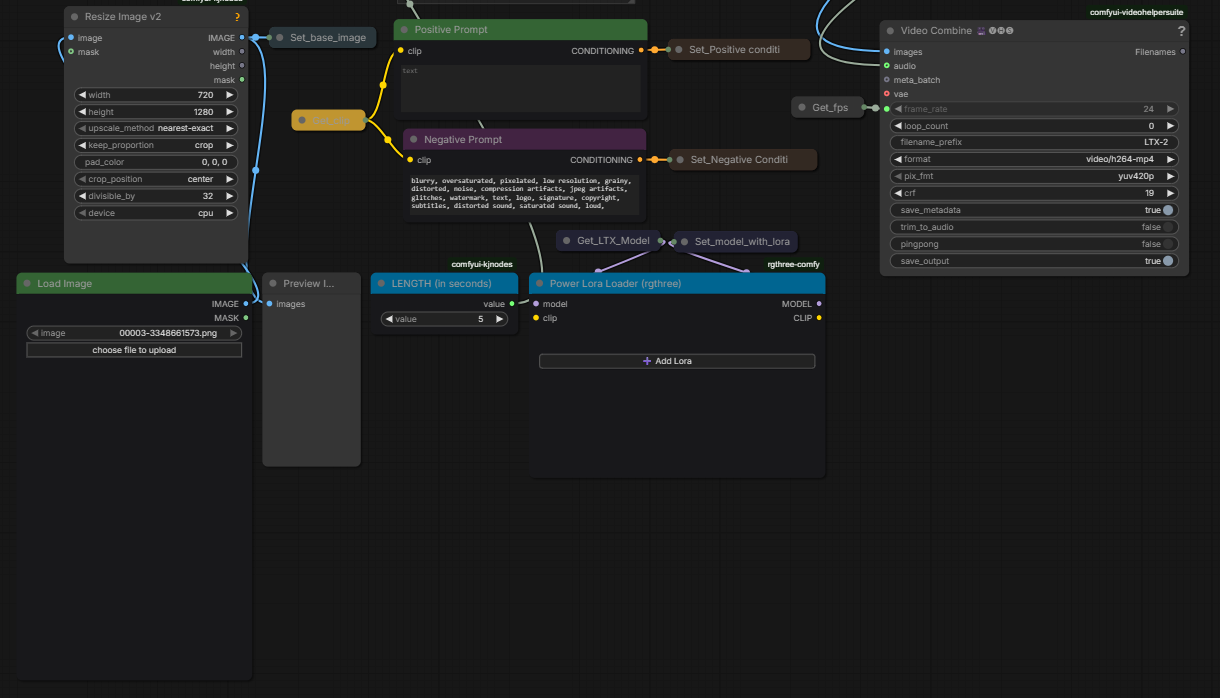
Section 2 : Load Models :
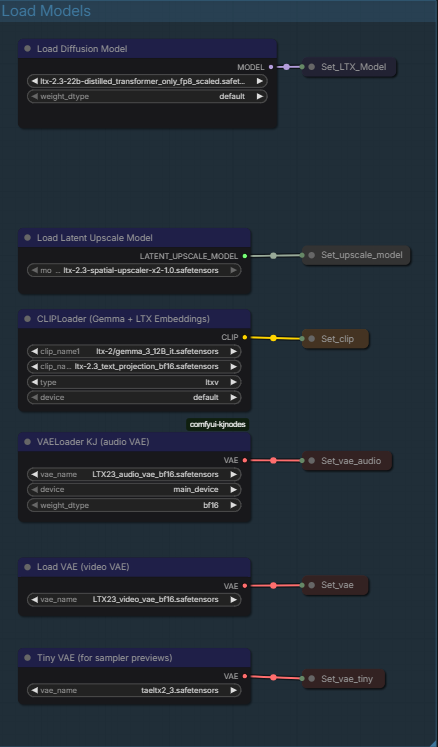
Here's the models loaded :
Diffusion model : A distilled FP8 version of LTX 2.3 for low steps generation.
Latent Upscale Model : To upscale the compressed Sampled Video.
Cliploader : Gemma-3-12B and Text_Projection for CLIP
VAELoader Audio : The Audio VAE for Audio generation.
Video VAE : LTX 2.3 Vae.
Tiny VAE : taeltx2.3 for the samplers preview so you can have an idea of how the video is driven while it is being generated.
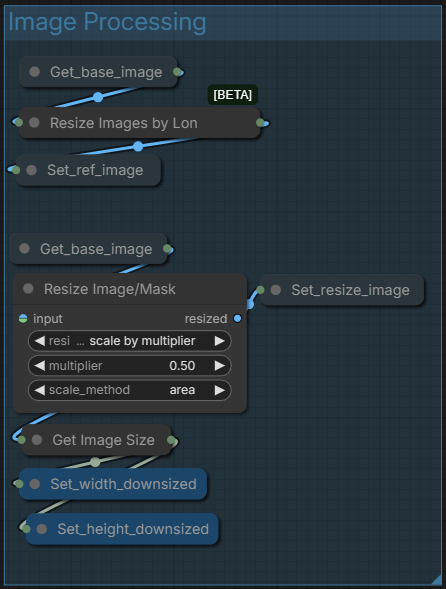
Section 3 : Image Processing :
Simply processes the input for the generation
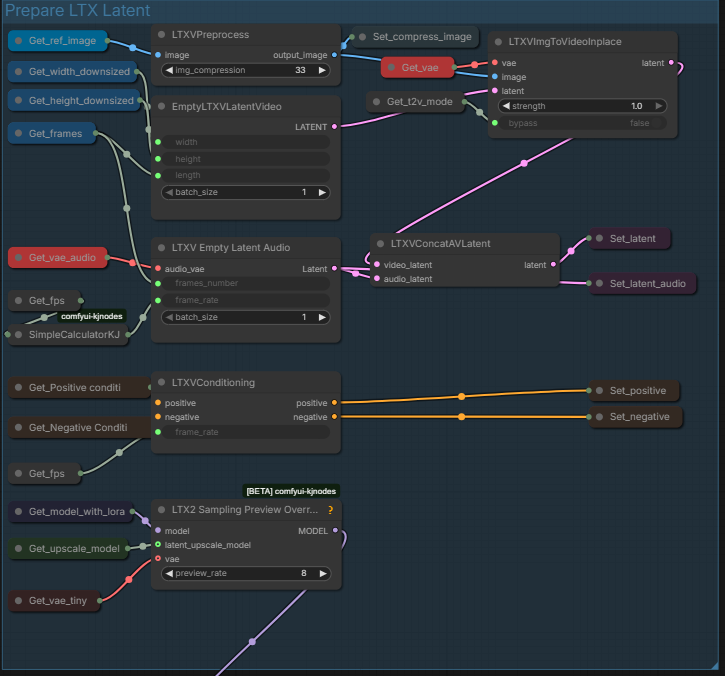
Section 4 : Prepare LTX Latent :
Set the latent and conditioning before the sampler.
Section 5 : NAG (Negative Prompting for Low Step) :
Allows the negative prompt to be used for low steps generation as it is usually dismissed with low steps 1 CFG workflows. If you feel it makes the generation worse you can disable by selecting both Get_positive and Get_negative and LTX2_NAG and shortcut Ctrl+B.
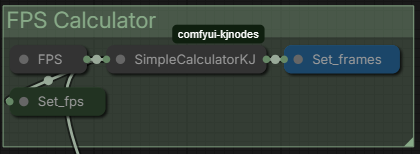
Section 6 : FPS Calculator :
Quickly calculate the number of FPS for the seconds length set.
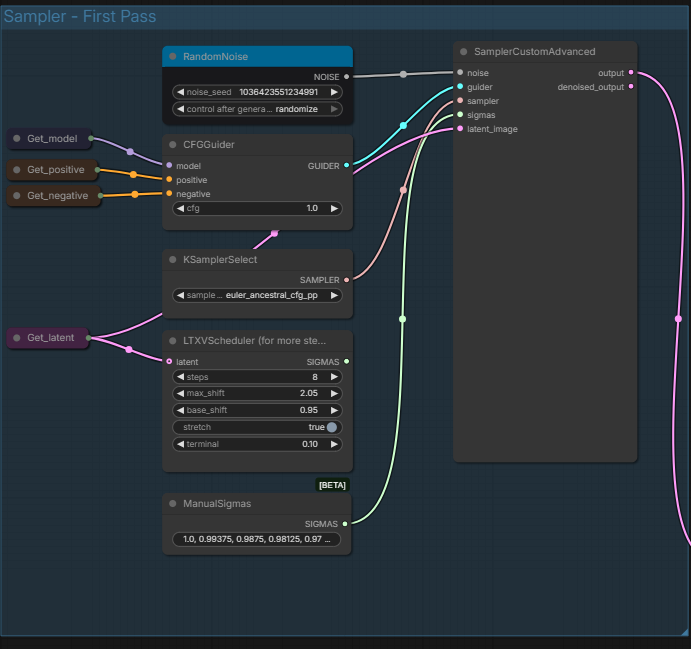
Section 7 : Sampler - First Pass :
The main video generating sampler. You can set manually the noise seed, CFG (it's low step so usually keep at 1.0), the Sampler, and you can choose between using Sigmas of LTXVScheduler or of ManualSigmas. From text ManualSigmas seems to be better. The video is then generated through the Sampler and sent to the next Sampler.
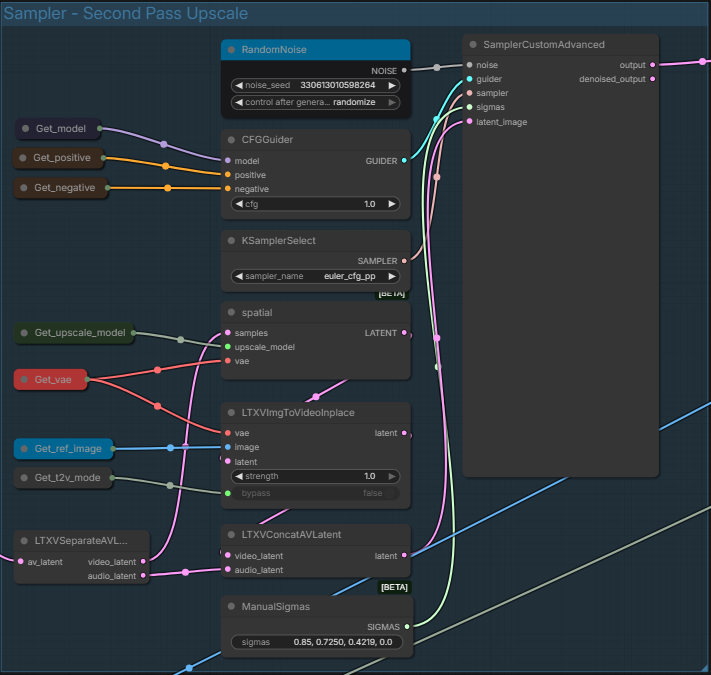
Section 8 : Sampler - Second Pass Upscale :
The section designed to upscale the output of the first sampler. Like the first one, you can change sampling parameters.
Section 9 : Decode :
The final section before output. it Decodes the entire generated video and then sent the decode to to Video Combine.
You know have your generated video !
This workflow has quite a few things you can edit, but you can also just stick to the workspace section and not bother with the rest.
LTX 2.3 is a great model to generate videos with audio as it can generate speech pretty well, and in different languages while generating a high quality video that resolve most of the problems of Wan such as motion. You can find Loras on Civitai and Hugginface. It can also be used for a lot of different varied uses, but this workflow is pretty much the basic of what you can in the easiest and fastest way.